
Web Access
Starting from the website support entry point, it chains visitor reception, real-time conversations, and follow-up handling into one unified flow.
Web-first, AI first response, human takeover, end-to-end ticketing
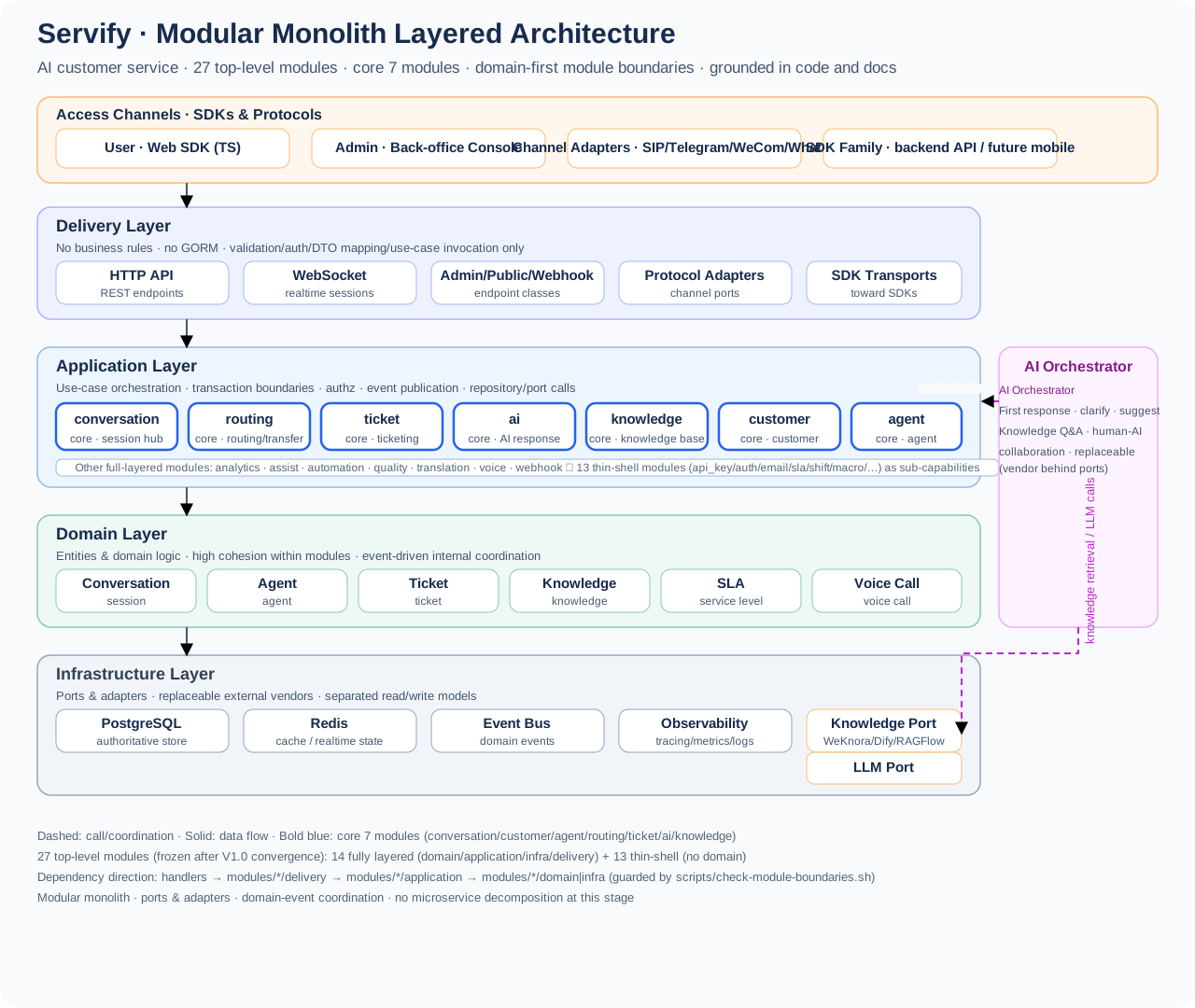
The first release of Servify delivers Web-based intelligent customer service for corporate websites, brand standalone storefronts, SaaS marketing sites, and documentation sites.
It prioritizes completing the core support chain, with platform-level compatibility deferred:
Web 接入 -> AI 首答 -> 人工接管 -> 转接协作 -> 工单全流程
The focus of this documentation site should likewise be on understanding the product around this chain, rather than starting from the implementation backlog.
Remote assistance remains an enhancement direction worth keeping, but in the V1 phase it must not outweigh the core capabilities: the website support entry, AI first response, human handoff, and end-to-end ticketing.
Servify fits enterprise support scenarios that need self-hosted deployment, controllable integration, and continuous evolution. It serves a single enterprise team by default, rather than putting multi-tenant platform capability at the very center of the product.
Many customer service systems spread across many feature surfaces early on, but what V1 truly needs to establish first is: website access, knowledge Q&A, human takeover, and continued ticket handling.
The repository already has the realtime foundations needed for remote assistance, including Web sessions, messages, and the WebSocket / WebRTC related paths; but the documentation deliberately avoids overstating this as "having fully delivered some heavyweight remote-control product".
AI handles first responses, clarification, knowledge recall, and suggestions; humans can take over, continue, and collaborate at any time, keeping the entire support experience continuous.
Grouped by usage task, consistent with the left navigation.
make local-checkmake security-check CONFIG=./config.ymlmake observability-check CONFIG=./config.ymlmake release-check CONFIG=./config.yml